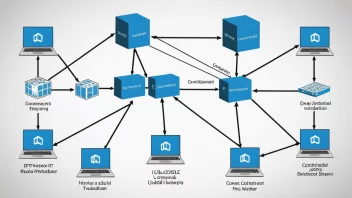
The Address Resolution Protocol (ARP) is an essential component of IPv4 networking, functioning as the bridge between the network layer and the link layer. It plays a crucial role in enabling devices to discover the physical addresses (MAC addresses) associated with IP addresses, allowing for effective communication over a network. Understanding ARP is vital for network administrators, security professionals, and anyone interested in the inner workings of networking. Here are some critical aspects of ARP that highlight its significance in IPv4 networking.
1. What is ARP?
ARP stands for Address Resolution Protocol, which operates at the link layer of the OSI model. It is primarily used to map a network address (such as an IPv4 address) to a physical address (such as a MAC address) recognized in the local network. This mapping is essential because, while IP addresses are used for routing packets across networks, MAC addresses are necessary for actual data transmission within a local area network (LAN).
2. How ARP Works
ARP operates through a request-response mechanism. When a device wants to send data to another device on the same network, it needs to know the destination device's MAC address. Here’s how the process works:
- ARP Request: The sending device broadcasts an ARP request packet to all devices on the local network, asking, “Who has IP address X.X.X.X? Tell me your MAC address.”
- ARP Reply: The device with the specified IP address responds with an ARP reply that includes its MAC address.
- Caching: The sending device caches this information in its ARP table, reducing the need for future requests to the same IP address.
3. ARP Cache: Efficiency and Security
The ARP cache is a table that stores recently resolved IP-to-MAC address mappings to expedite network communications. However, while it enhances efficiency, it can also introduce security vulnerabilities. Here are some important points regarding ARP caching:
- TTL (Time To Live): Entries in the ARP cache have a limited lifespan to ensure that the data remains current.
- Stale Entries: If an IP address changes but the ARP table has not updated, data may be sent to the wrong device.
- Security Risks: ARP spoofing is a common attack where a malicious actor sends fake ARP messages to associate their MAC address with the IP address of another device, leading to data interception or denial of service.
4. ARP in IPv4 vs. IPv6
ARP is specific to IPv4 networks, as IPv6 uses a different mechanism for address resolution. In IPv6, the Neighbor Discovery Protocol (NDP) serves a similar purpose. Key differences include:
- Broadcast vs. Multicast: ARP uses broadcast messages; NDP uses multicast, which is more efficient.
- Security Features: NDP includes built-in security features like Secure Neighbor Discovery (SEND) to mitigate risks associated with ARP spoofing.
- Address Resolution: NDP can handle both link-layer address resolution and other tasks like duplicate address detection.
5. Troubleshooting ARP Issues
Understanding ARP is also vital for troubleshooting common networking issues. Here are some strategies:
- ARP Table Inspection: Use commands like
arp -aon Windows orarpon Linux to view the ARP cache and identify stale entries. - Clear ARP Cache: If you suspect issues, clearing the ARP cache can force devices to rebuild their mappings.
- Monitor Network Traffic: Tools like Wireshark can help analyze ARP traffic and detect anomalies such as ARP spoofing attempts.